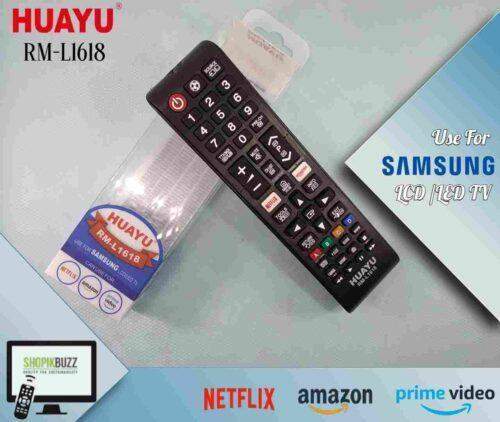
-6%

RM-L1120+8 Remote Control for All Brands LCD & LED

750.00

RM-L1120+8 Remote

  •  Universal Smart TV Remote Control with Home, My Apps, Netflx and YouTube Buttons
  • Compatible with Major TV Brands and majority of China made TVs and Philippine rebranded China TVs
  • You have to set up the remote before you use it.
  • Easy set up is by Auto searching.
  •  Remote Manually turn on your TV.
  • Place new batteries into the remote
  • Point the remote to the TV’s remote sensor.
  • Press and hold the ‘set’ button until the volume symbol appears on the TV screen.
  • (Note: this may take more than 5 minutes as there are thousands of TV codes)
  • Immediately release ‘set’ button when the volume symbol appears on TV.
  • Check if volume, menu, power buttons are functioning normally.
  • If not all buttons are functioning correctly, repeat set up until all buttons are functioning normally
  • Huayu RM-L1120+X Universal Smart TV Remote Control with Home, My Apps, Netflx and YouTube Buttons
  • RM-L1120+8 Remote is Compatible with Major TV Brands and majority of China made TVs and Philippine rebranded China TVs
  • You have to set up the remote before you use it.
  • Easy set up is by Auto searching.
  • Manually turn on your TV.
  • Place new batteries into the remote
  • Point the remote to the TV’s remote sensor.
  • Press and hold the ‘set’ button until the volume symbol appears on the TV screen.
  • (Note: this may take more than 5 minutes as there are thousands of TV codes)
  • Immediately release ‘set’ button when the volume symbol appears on TV.
  • Check if volume, menu, power buttons are functioning normally.
  • If not all buttons are functioning correctly, repeat set up until all buttons are functioning normally
  • Note : Any Other Type of TV Remote Can be Arrange on Customer’s Demand !
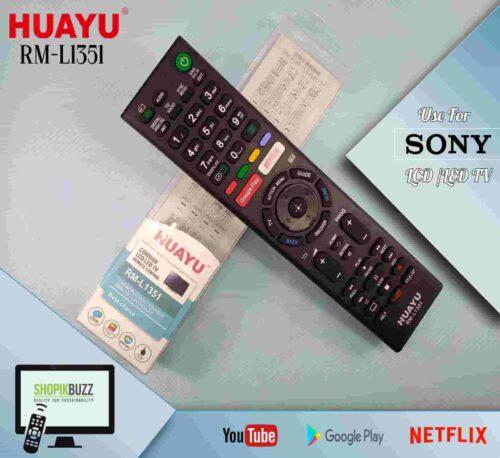
In stock

SKU: RM-L1120+8 Remote Category: Tag:

Description

RM-L1120+8 Remote

  •  Universal Smart TV Remote Control with Home, My Apps, Netflx and YouTube Buttons
  • Compatible with Major TV Brands and majority of China made TVs and Philippine rebranded China TVs
  • You have to set up the remote before you use it.
  • Easy set up is by Auto searching.
  •  Remote Manually turn on your TV.
  • Place new batteries into the remote
  • Point the remote to the TV’s remote sensor.
  • Press and hold the ‘set’ button until the volume symbol appears on the TV screen.
  • (Note: this may take more than 5 minutes as there are thousands of TV codes)
  • Immediately release ‘set’ button when the volume symbol appears on TV.
  • Check if volume, menu, power buttons are functioning normally.
  • If not all buttons are functioning correctly, repeat set up until all buttons are functioning normally
  • Huayu RM-L1120+X Universal Smart TV Remote Control with Home, My Apps, Netflx and YouTube Buttons
  • RM-L1120+8 Remote is Compatible with Major TV Brands and majority of China made TVs and Philippine rebranded China TVs
  • You have to set up the remote before you use it.
  • Easy set up is by Auto searching.
  • Manually turn on your TV.
  • Place new batteries into the remote
  • Point the remote to the TV’s remote sensor.
  • Press and hold the ‘set’ button until the volume symbol appears on the TV screen.
  • (Note: this may take more than 5 minutes as there are thousands of TV codes)
  • Immediately release ‘set’ button when the volume symbol appears on TV.
  • Check if volume, menu, power buttons are functioning normally.
  • If not all buttons are functioning correctly, repeat set up until all buttons are functioning normally
  • Note : Any Other Type of TV Remote Can be Arrange on Customer’s Demand !

Additional information

Weight 0.1 kg
Dimensions 1 × 1 × 1 cm

Reviews

There are no reviews yet.

Only logged in customers who have purchased this product may leave a review.